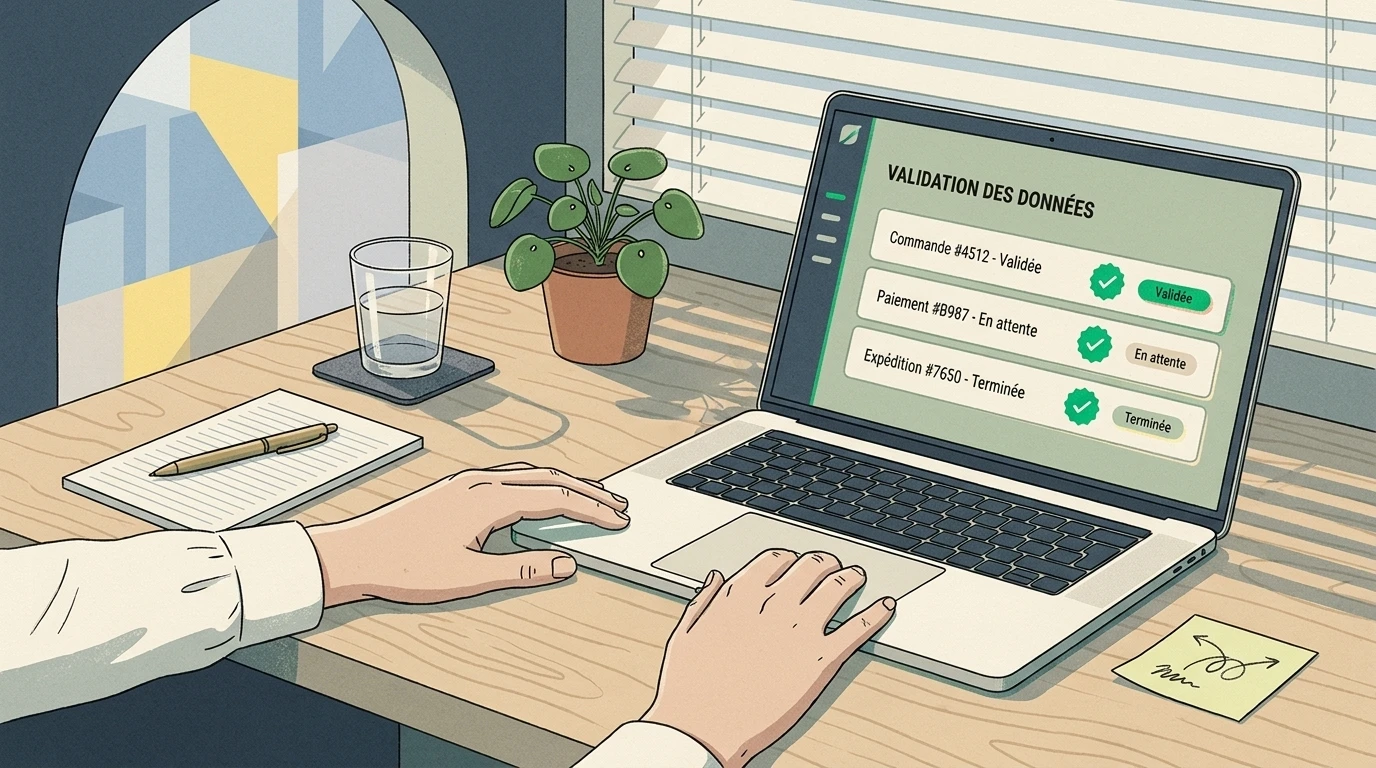
How to Automate Customer Follow-Ups Without Losing Leads in 2026?
Discover how to automate customer and quote follow-ups in 2026 without losing leads. CRM sequences, No-Code workflows, and AI agents to boost sales.
Jean Willame · August 26, 2026 · 7 min
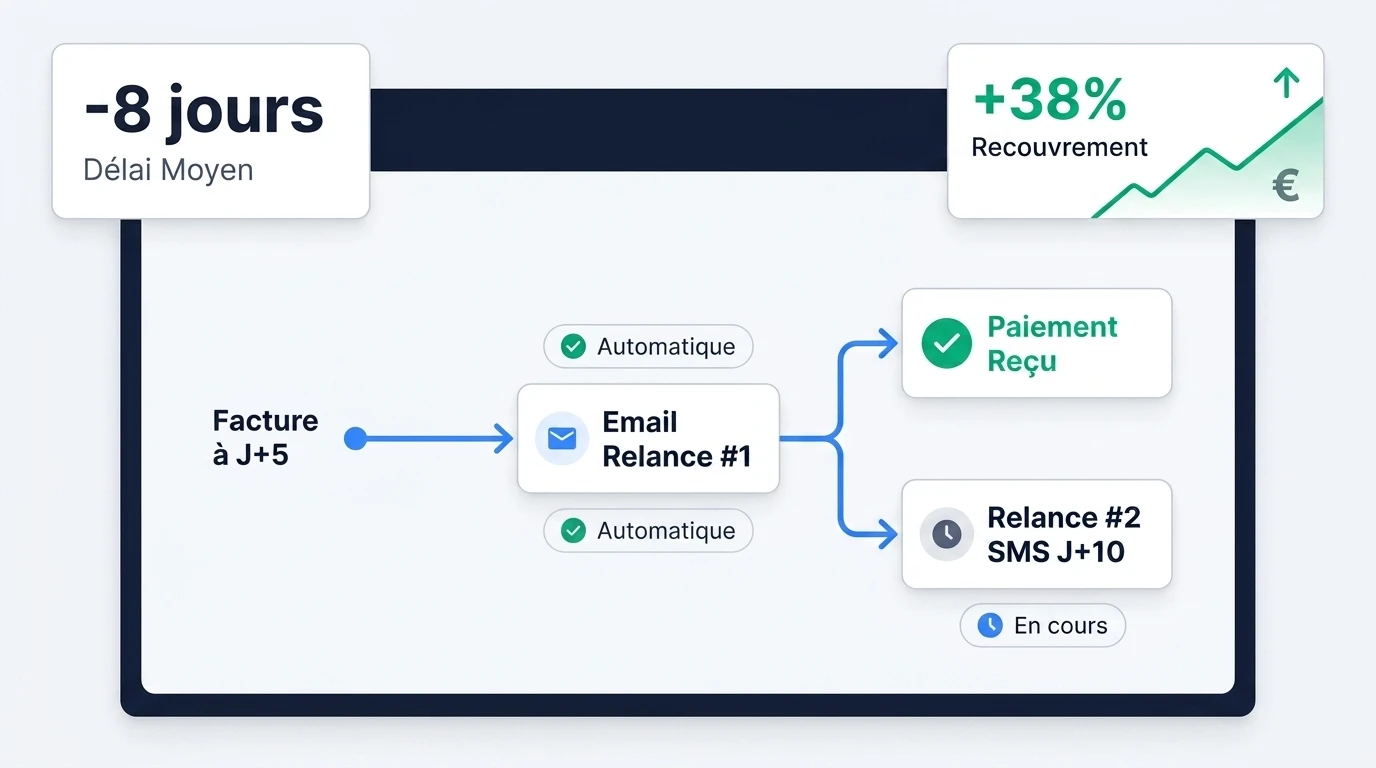
Quick answer. Automating customer follow-ups involves orchestrating conditional scenarios triggered by the prospect or customer’s exact status in your CRM or relational database. By pairing a CRM solution with No-Code tools like Make or specialized AI agents, an SMB secures up to 27 % more responses without damaging its brand image or overburdening operational teams. The foundational element of such a system relies on the immediate interruption of automated sequences upon the slightest incoming interaction or response.
Why this bottleneck matters
In the day-to-day management of an SMB, following up on sales leads and collecting receivables often represent major bottlenecks. According to a study cited by Marc Antoine, Sales Director at Initiative CRM in the guide Logiciel de relance client automatique : Guide complet 2026, 68 % of French SMBs spend an average of 15 hours per week on repetitive administrative tasks. Due to a lack of time or centralized tools, 30 % to 45 % of necessary follow-ups are abandoned along the way Logiciel de relance client automatique : Guide complet 2026.
This lack of follow-up results in a direct loss of commercial opportunities, a drop in quote conversion rates, and a mechanical increase in working capital requirements (WCR). For an operations leader, knowing how to automate customer follow-ups without losing leads in 2026 is an essential strategic lever to stabilize cash flow, streamline sales team workflows, and ensure no qualified prospect slips through the cracks.
How to effectively automate customer follow-ups without damaging relationships
To automate customer follow-ups without degrading commercial relationships or giving the impression of robotic outreach, one must move away from generic mass mailings. High-value automation relies on contextual triggers, precise segmentation of the customer portfolio, and strict exit rules.
As Marc Antoine, Sales Director at Initiative CRM, highlights in his analysis Logiciel de relance client automatique : Guide complet 2026: “Automation allows you to instantly halt follow-ups as soon as a prospect makes contact, ensuring a seamless, personalized experience without the risk of over-solicitation.”
What follow-up automation can do (well)
- Trigger exact timestamped reminders: Adapt the follow-up delay according to the prospect’s exact progress in the sales pipeline or invoice status.
- Instantly interrupt sequences: Automatically remove contacts from the loop upon detecting an incoming phone call, a reply email, a link click for booking a meeting, or a payment.
- Dynamically enrich messaging: Inject highly specific business variables (project name, quote amount, exact date of last exchange, assigned point of contact).
- Synchronize multi-tool data: Update statuses in real time across the billing database, task management tool, and sales CRM.
What follow-up automation cannot do (yet)
- Handle complex objections: Negotiate specific pricing terms or respond to customized technical adaptation requests.
- Anticipate organizational changes: Detect executive departures or governance changes without an explicit signal entered into the tool.
- Replace high-level human relationships: Replace strategic phone conversations during final negotiation phases on key accounts.
- Fix data debt: Autonomously identify mistyped email addresses from initial data entry without an upstream verification system.
A prior audit of your communication workflows is essential before setting up any rules. The No-Code architecture support offered by Jean Willame specifically helps identify these business logic rules and design leakproof scenarios.
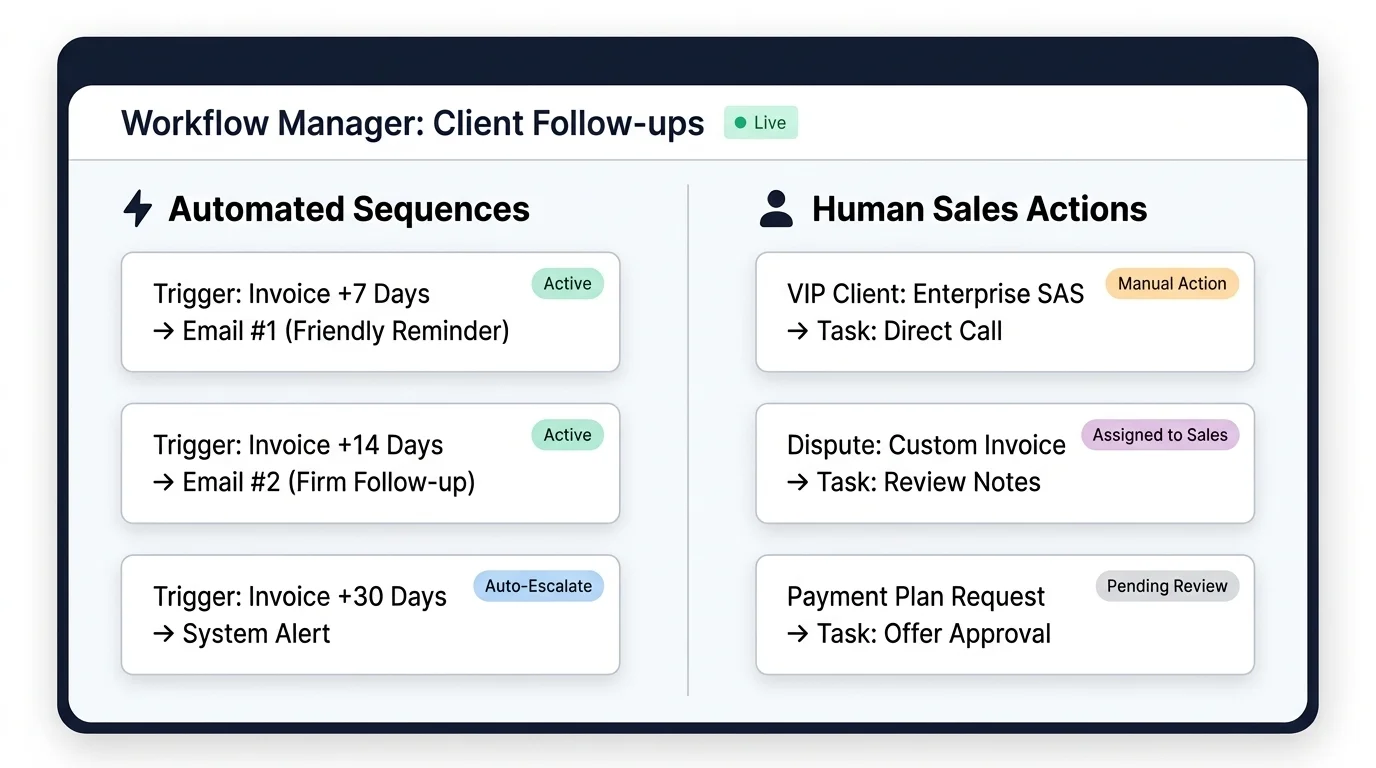
When is the best time to send an automated follow-up email?
Determining the optimal timing for an automated follow-up email depends on the maturity of the commercial relationship and the nature of the transaction. In B2B outreach and account management, the primary shortcoming of sales teams lies in prematurely abandoning the sequence.
According to research published by Mercuri in their study Relance prospect par mail : guide complet + 6 exemples (2026), 48 % of sales reps give up on follow-ups after the very first unanswered message. Yet, extending the sequence to a range of 4 to 7 touchpoints increases the average response rate up to 27 %, keeping in mind that it takes an average of 8 touchpoints to secure a first qualified meeting Relance prospect par mail : guide complet + 6 exemples (2026).
An effective cadence relies on a progressive rhythm:
- Day 2 to Day 3 - Post-meeting or post-quote follow-up: A concise message checking receipt of materials and offering to address initial questions.
- Day 7 - Value-add follow-up: Sending expert content (case study, field insights) relevant to the discussed pain point.
- Day 10 to Day 12 - Operational clarification follow-up: Direct outreach asking whether the project remains active.
- Day 15 - The breakup email: A courteous message announcing the temporary closing of the file due to lack of response, putting the ball back in the prospect’s court.
According to a study on sales tools by Oliverlist titled Exemple de mail de relance en prospection commerciale prêt à envoyer, the breakup email sent on Day 15 yields one of the highest response rates of the entire sequence due to urgency (FOMO). Conversely, a sequence restricted to 1-3 emails manages to capture a low response rate of only 9 % Exemple de mail de relance en prospection commerciale prêt à envoyer.
How to set up an automated email follow-up sequence after sending a quote?
After sending a commercial proposal or quote, the follow-up phase must address implicit objections while keeping up positive momentum. Automation overcomes frequent buyer indecision in B2B sales.
According to Elixmail’s specialized guide Relance devis : délais, méthode et 5 modèles d’email (2026), 30 % to 50 % of unanswered quotes are simply due to indecision, lack of availability, or shifting priorities on the client side. The recommended automation calendar centers around three main milestones:
- Step 1 (Day 3) - Technical validation: Ensure the quote was properly received and suggest a brief phone call.
- Step 2 (Day 7) - Reassurance: Share a testimonial from a peer in the same industry or a concrete case study example.
- Step 3 (Day 14) - Choice re-evaluation: Ask the prospect about their project timeline and propose adjusting project scope if necessary.
For SMBs seeking to implement the best quote follow-up workflow, combining flexible tools delivers strong results. As Render Digital explains in its guide Automatiser ses relances clients avec Make et Airtable (guide 2026), pairing Airtable for data structure with Make for scenario logic ensures systematic verification of the “Quote Sent” status and the absence of replies before triggering each new email.
In parallel, Elixmail Relance devis : délais, méthode et 5 modèles d’email (2026) advises setting automated CRM alerts upon the 3rd re-opening of the quote document by the prospect, signaling renewed interest that justifies direct rep outreach.
How to automate tasks with AI to improve follow-ups in 2026?
Integrating agentic artificial intelligence into automation workflows reaches a pivotal milestone in 2026. AI dynamically adjusts tone, messaging, and channel based on prospect behavior and financial risk levels.
Automating invoice and payment follow-ups using AI has become an indispensable pillar of financial health. According to research presented by Claire Pichon, Head of Operations at Billabex in the article Les logiciels de recouvrement basés sur de l’IA, deploying AI agents to handle payment tracking reduces Days Sales Outstanding (DSO) by 35 % to 42 %.
Claire Pichon, Head of Operations at Billabex Les logiciels de recouvrement basés sur de l’IA, notes: “Autonomous AI agents handle the automatic recovery of 60 % to 75 % of overdue receivables before escalation to legal collection, allowing 81 % of equipped SMBs to reach break-even in less than 90 days.”
Using AI in customer follow-up operations centers on three major use cases:
- Semantic subject line personalization: According to data from Oliverlist Exemple de mail de relance en prospection commerciale prêt à envoyer, dynamically adapting subject lines based on the target company’s current news increases email open probability by 26 %.
- Sentiment analysis and reply classification: When a prospect sends an ambiguous response (“Reach back out next month”), the AI agent analyzes the content, qualifies intent, updates the follow-up date in the CRM, and pauses the active sequence without human intervention.
- Tone modulation in collections: The autonomous agent evaluates customer lifetime value, payment history, and overdue duration to select the most appropriate tone (courteous reminder, formal notice, or final demand).
Which CRM tools to choose for automating sales follow-ups in SMBs?
The choice of software stack depends on team size, contact volume, and the complexity of your sales cycle.
The table below provides a comparative analysis of key market solutions:
| Tool / Platform | Follow-up Type | Key Features | Best Use Case |
|---|---|---|---|
| HubSpot CRM | Sales & Inbound | Automated sequences, behavioral scoring, visual workflows | SMBs with aligned sales and marketing teams on medium sales cycles |
| Pipedrive | Sales & Pipeline | Stage-change triggers, automated task reminders | Field sales teams focused on visual pipeline tracking |
| Lemlist | Cold B2B Prospecting | Advanced image/landing page personalization, email warm-up | SDR teams aiming to maximize cold outreach results |
| Make + Airtable | Multi-purpose / Custom | Fully customizable No-Code workflows, open APIs | Operations leaders seeking full control over custom business rules |
| Billabex | Collections & Receivables | AI collection agents, autonomous omnichannel follow-ups | SMBs suffering from recurring payment delays and high DSO |
For SMBs looking to implement custom scenarios without incurring heavy per-user licensing fees, combining Make and Airtable is highly recommended. As demonstrated by Render Digital Automatiser ses relances clients avec Make et Airtable (guide 2026), this combination enables building complex exclusion rules while keeping full control of relational databases.

How to follow up via email automatically without ending up in spam?
The technical performance of a follow-up sequence hinges entirely on deliverability. To protect your domain reputation and ensure legal compliance, five rules are essential:
- Sending domain authentication: Configure SPF, DKIM, and DMARC records on your DNS servers. Without these keys, email filters will flag your automated emails as suspicious.
- Compliance with CNIL regulations in B2B: In accordance with CNIL recommendations set out in FAQ Recommandation sur les pixels de suivi dans les courriers électroniques, B2B commercial prospecting relies on legitimate interest, provided clear information and a simple opt-out mechanism (a clear unsubscribe link) are provided.
- Strict control of trackers and pixels: The CNIL FAQ Recommandation sur les pixels de suivi dans les courriers électroniques notes that using tracking pixels requires prior user notice. Favor tracking actual replies and clicks over pixel-based opens, which have become unreliable due to Apple and Outlook privacy features.
- Text variations (Spintax): Rotate synonyms, sentence structures, and email subjects to smooth out the digital footprint of your mailings.
- Strict compliance for invoice follow-ups: Regarding collections management, the guidance from Service Public Délais de paiement entre professionnels et pénalités de retard highlights that the legal ceiling for payment terms is set at 60 days (or 45 days end of month). Late payment penalties as well as a statutory flat recovery fee of €40 are legally due on the day following the invoice due date Délais de paiement entre professionnels et pénalités de retard.
How to avoid losing leads due to a lack of operational follow-up?
Automation should not replace human oversight; it should multiply its effectiveness by alerting the right people at the right time:
- Human escalation routing: Configure your system so a high-priority task is immediately assigned to a sales representative whenever a prospect takes a high-intent action (e.g., re-opening a quote 3 times).
- Dormant status and contact recycling: At the conclusion of an automated sequence (following the breakup email), transition the lead to a temporary inactive status and re-engage in 3 or 6 months.
- Database hygiene: Ensure that recording a paid invoice in your accounting software triggers an immediate update in your follow-up tool.
Optimization specialists like Jean Willame help executives and operations leaders audit their workflows to permanently remove friction between sales, marketing, and finance platforms.
Step-by-step workflow: Setting up your first spam-free automated follow-up sequence
This operational action plan outlines how to design and deploy an effective follow-up workflow using a CRM or No-Code orchestration tool (e.g., Make).
Step 1: Mapping triggers and exit criteria (30 min)
Define the trigger event (e.g., status “Quote Sent” in the CRM). List all immediate exit conditions: receipt of an incoming email, manual status update, “Do Not Contact” tag, or payment confirmation.
Step 2: Drafting and structuring email templates (1h 30 min)
Design the 4 messages for the sequence, taking care to personalize variables ({{first_name}}, {{company_name}}, {{project_title}}) and avoiding words flagged by spam filters.
- Message 1 (Day 3): Simple follow-up and confirmation of receipt.
- Message 2 (Day 7): Value offer or relevant customer case study.
- Message 3 (Day 12): Clarification on budget or timeline constraints.
- Message 4 (Day 15): Breakup email indicating temporary file closure.
Step 3: Configuring the scenario in the orchestrator (2h)
In Make or within your CRM:
- Set up the trigger (Webhook or automated status check).
- Add delay modules (“Sleep” or “Delay”) between each step.
- Insert a filter step before each email send to check contact eligibility.
Step 4: Setting up the exit loop and notifications (1h)
Connect your inbox to the scenario. When an incoming message from the prospect is identified, update the CRM status and send an instant notification to the team on Slack or Teams.
Step 5: Testing phase and deliverability validation (1h)
Run the scenario on a sample of test addresses (Gmail, Outlook, corporate domain). Verify link functionality, unsubscribe readability, and SPF/DKIM key alignment.
To structure your operations and optimize your conversion flows, you can schedule an audit of your organization by submitting a quote request for follow-up process optimization and sales automation.
Frequently asked questions
How many automated follow-ups should be scheduled per prospect?
An optimal B2B sequence includes between 4 and 7 touchpoints spread over a period of 15 to 20 days. Going beyond 7 follow-ups without a response damages domain deliverability and projects an overly pushy image.
How do you automatically pause a follow-up if the client replies?
Pausing is achieved by setting up an exit trigger in your CRM or No-Code orchestrator. As soon as an incoming email matching the prospect’s address is detected, the deal status changes and immediately removes the contact from the automation loop.
Is it legal to automate unpaid invoice follow-ups in B2B?
Yes, automating invoice reminders is legal provided the messages comply with commercial law regulations. Late payment penalties and a statutory flat recovery fee of €40 become legally due on the day following the due date.
What is the best tool to automate quote follow-ups without response in 2026?
For SMBs seeking high flexibility, combining Make and Airtable represents the most powerful setup. For standard sales teams, built-in CRMs like HubSpot or Pipedrive offer highly effective and easy-to-use email automation features.
How to automate overdue invoice follow-ups using AI in 2026?
AI automation relies on autonomous agents capable of analyzing customer payment history, adjusting tone severity, and orchestrating omnichannel reminders to reduce DSO without harming business relationships.
Should an unsubscribe link be included in B2B sales follow-up emails?
Yes. In compliance with CNIL recommendations, B2B commercial emails based on legitimate interest must provide a simple and direct way for recipients to opt out of future mailings.
How to prevent automated follow-up emails from landing in spam?
You must configure SPF, DKIM, and DMARC records for your domain, introduce text variations, avoid spam-trigger words, and space out mailings naturally.
What is the difference between a traditional CRM and Make/Airtable automation?
A traditional CRM offers preconfigured standardized features, which can sometimes be rigid. The Make and Airtable combination allows you to build custom workflows tailored exactly to your company’s specific business logic without high per-user license costs.
Sources
- Délais de paiement entre professionnels et pénalités de retard , Official explanatory note on legal payment deadlines and recovery fees in France.
- FAQ Recommandation sur les pixels de suivi dans les courriers électroniques , Official CNIL guidance on commercial emails and tracking tools.
- Logiciel de relance client automatique : Guide complet 2026 , Guide and statistical data on administrative time management and automation in SMBs.
- Relance prospect par mail : guide complet + 6 exemples (2026) , Comparative study on the optimal number of interactions and response rates in B2B sales outreach.
- Automatiser ses relances clients avec Make et Airtable (guide 2026) , No-Code architecture tutorial for automated follow-up status management.
- Exemple de mail de relance en prospection commerciale prêt à envoyer , Empirical analysis of breakup email performance and subject line personalization.
- Relance devis : délais, méthode et 5 modèles d’email (2026) , Methodology and timeline for following up on unsigned commercial proposals.
- Les logiciels de recouvrement basés sur de l’IA , Impact report on agentic artificial intelligence for DSO reduction and collection.